DreamCasters Studio · AI Narration and Story Audio Production
Working ApplicationTurn a manuscript into a casted audio production.
DreamCasters Studio is a multi voice narration and story audio production workspace where an author can upload a manuscript, cast every speaker, add background music, render complete chapters, and publish the finished audiobook from one connected application.
Instead of relying on one synthetic narrator to read an entire book, DreamCasters Studio allows each character to have a distinct voice, pace, tone, and performance direction. Authors retain control over the manuscript, cast, narration, music, editing, and final production.
Studio requires a free account. Recruiters and prospective collaborators may request a guided demonstration without creating an account.
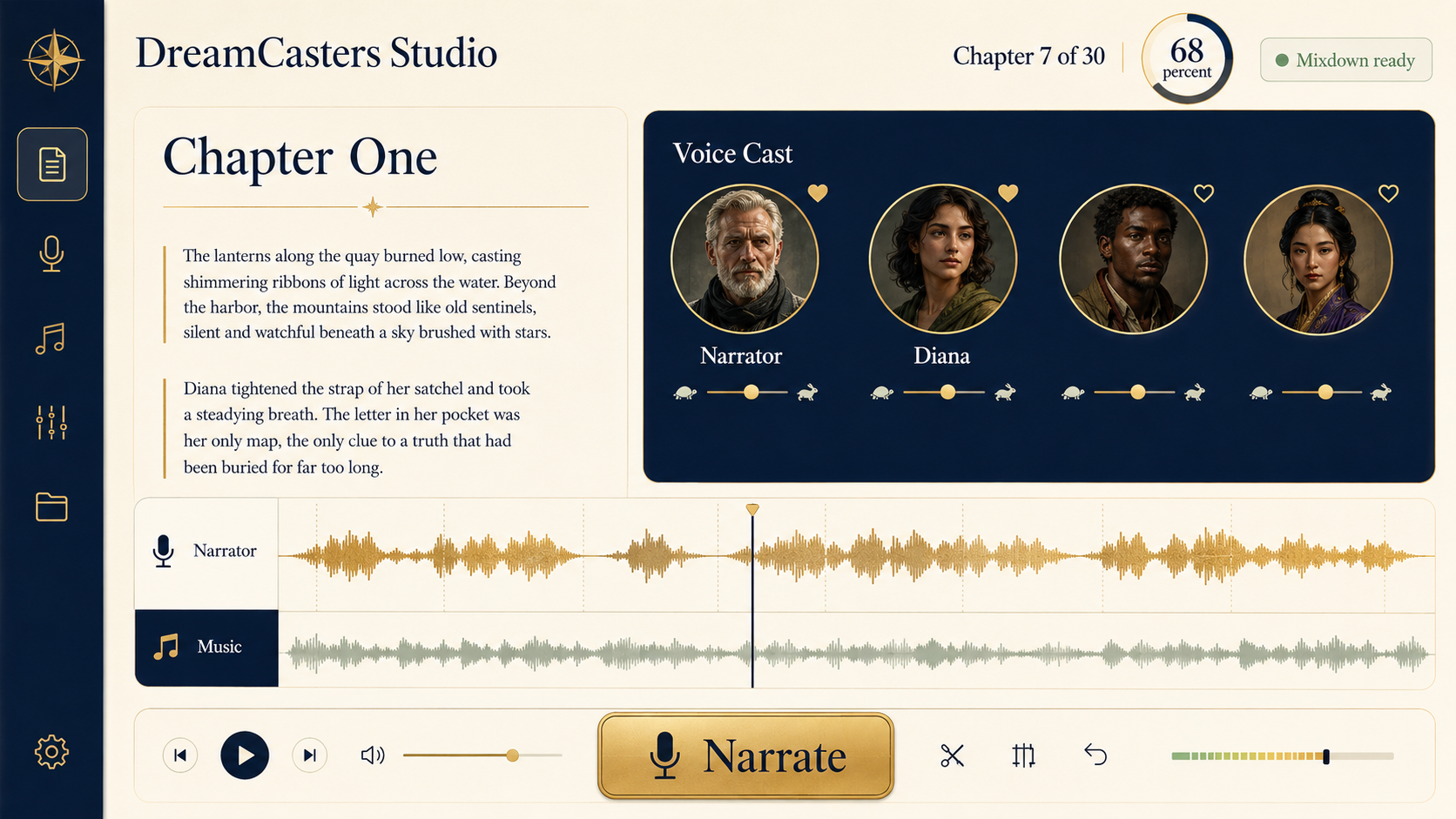
Status: Working Application. DreamCasters Studio currently supports manuscript import, chapter and passage creation, multi voice casting, speaker detection, passage editing, audio rendering, music management, chapter mixing, background narration, public audiobook publishing, and delivery to the DreamCasters Listening Library. The portfolio status will be updated to Verified Live Implementation after the complete application has been independently tested from manuscript import through public audiobook playback.
At a glance
What the studio does
Six connected capabilities carry a book from manuscript to published audiobook.
Manuscript Import
Multi Voice Casting
Speaker Detection
Chapter Production
Music and Mixdown
Audiobook Publishing
The challenge
The production problem
Audiobook production becomes considerably more complicated when a story contains multiple speakers, character dialogue, background music, performance direction, and corrections.
Traditional AI narration tools often concentrate on converting text into one continuous voice. When multiple characters are involved, the author may need to create separate audio files, track speaker assignments, adjust pacing, correct pronunciation, regenerate individual sections, and combine everything inside separate audio editing software.
Fragmented production
- Manuscript in one tool
- Separate voice tools
- Hundreds of individual audio files
- External audio editor for music
- Manual file organization and renaming
- Separate publishing system
DreamCasters Studio
One structured production workspace from manuscript through published audiobook.
The application was designed to eliminate generating separate audio files, renaming them, organizing them by chapter, combining voices manually, mixing music in another program, correcting individual passages, and assembling the finished audiobook by hand.
What goes wrong without it
- Character voices become inconsistent.
- Dialogue may be assigned to the wrong speaker.
- Correcting one paragraph may require rebuilding a larger audio section.
- Music must be added and balanced in another application.
- Long manuscripts create hundreds or thousands of audio files.
- Rendering may stop when the browser closes.
- Authors have difficulty tracking what is complete, outdated, or unsuccessful.
- Publishing requires another separate production process.
The solution
A connected production system
The manuscript becomes structured content. The characters become a reusable cast. Each passage retains its speaker, voice, text, direction, and audio status. The chapter becomes a controlled mix of narration, dialogue, and music. The complete project becomes a publishable listening experience.
- 1Manuscript
- 2Chapters
- 3Passages
- 4Speakers
- 5Voice Cast
- 6Narration
- 7Music
- 8Chapter Mixdown
- 9Published Audiobook
- 10Listening Library
Main capabilities
Inside the workspace
Each stage of the production journey, exactly as the application supports it.
Import the manuscript
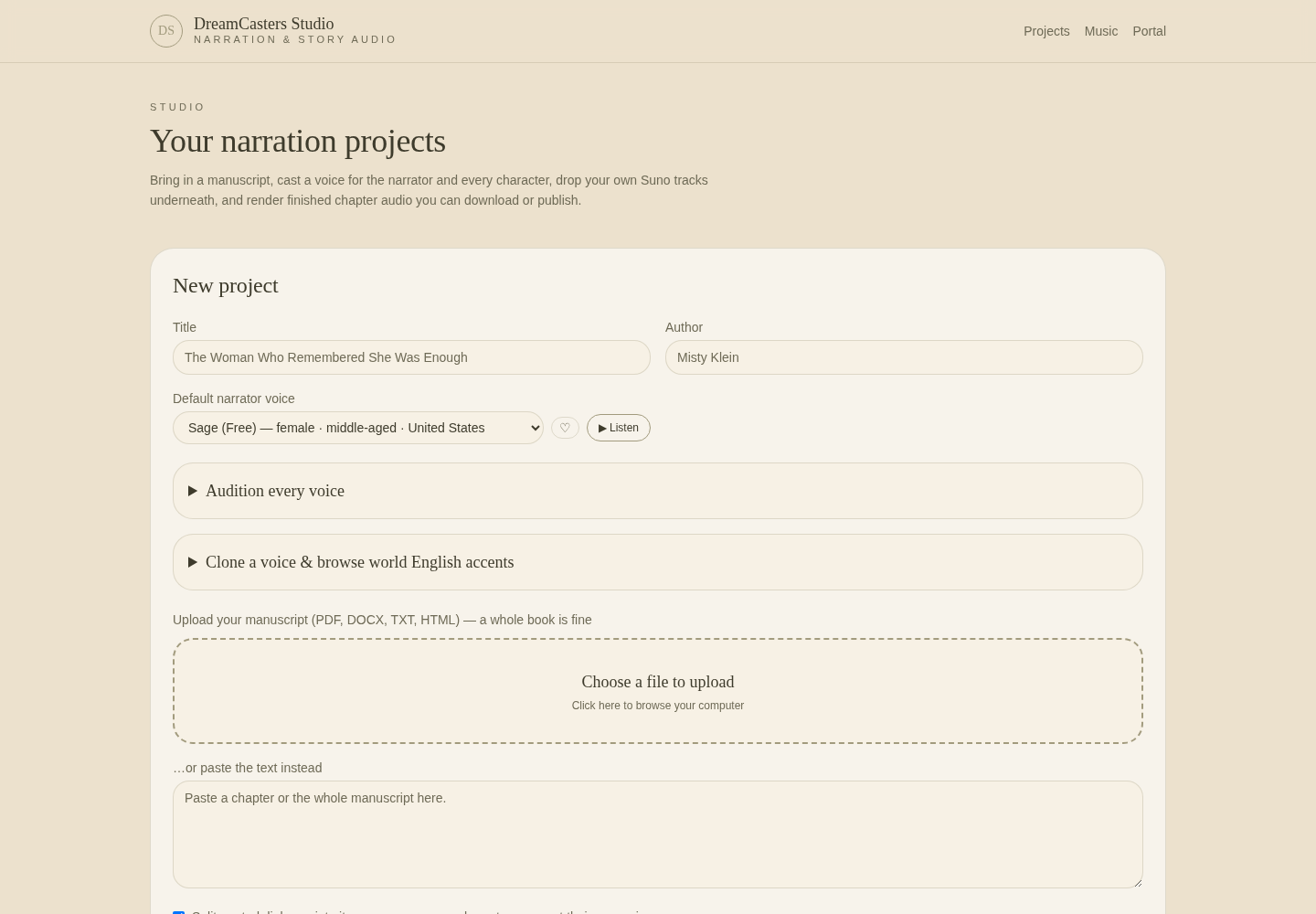
The author can begin by uploading an existing manuscript or entering text directly. Supported formats include PDF, DOCX, TXT, and HTML — a complete book can be uploaded at once. During project creation, the author provides the book title, author name, and default narrator voice.
The manuscript parser analyzes the document and separates it into chapters and passages. An optional setting allows quoted dialogue to be separated into individual passages so different characters can receive different voices. This creates an editable production structure without requiring the author to divide the manuscript manually.
Build the voice cast
Every project begins with a narrator. When additional speakers are detected during import, DreamCasters Studio creates cast positions for those characters so the author can review and assign their voices.
OpenAI voices
Gemini accent voices
ElevenLabs voices
Voice Lab
Favorites, auditioning, and voice controls
Favorites. Any voice can be marked as a favorite. Favorite voices appear first throughout the application, allowing authors to find frequently used voices quickly across different books and projects.
Auditioning. Authors can listen to a voice before assigning it, so casting decisions are based on how the voice actually sounds rather than relying only on a written voice description.
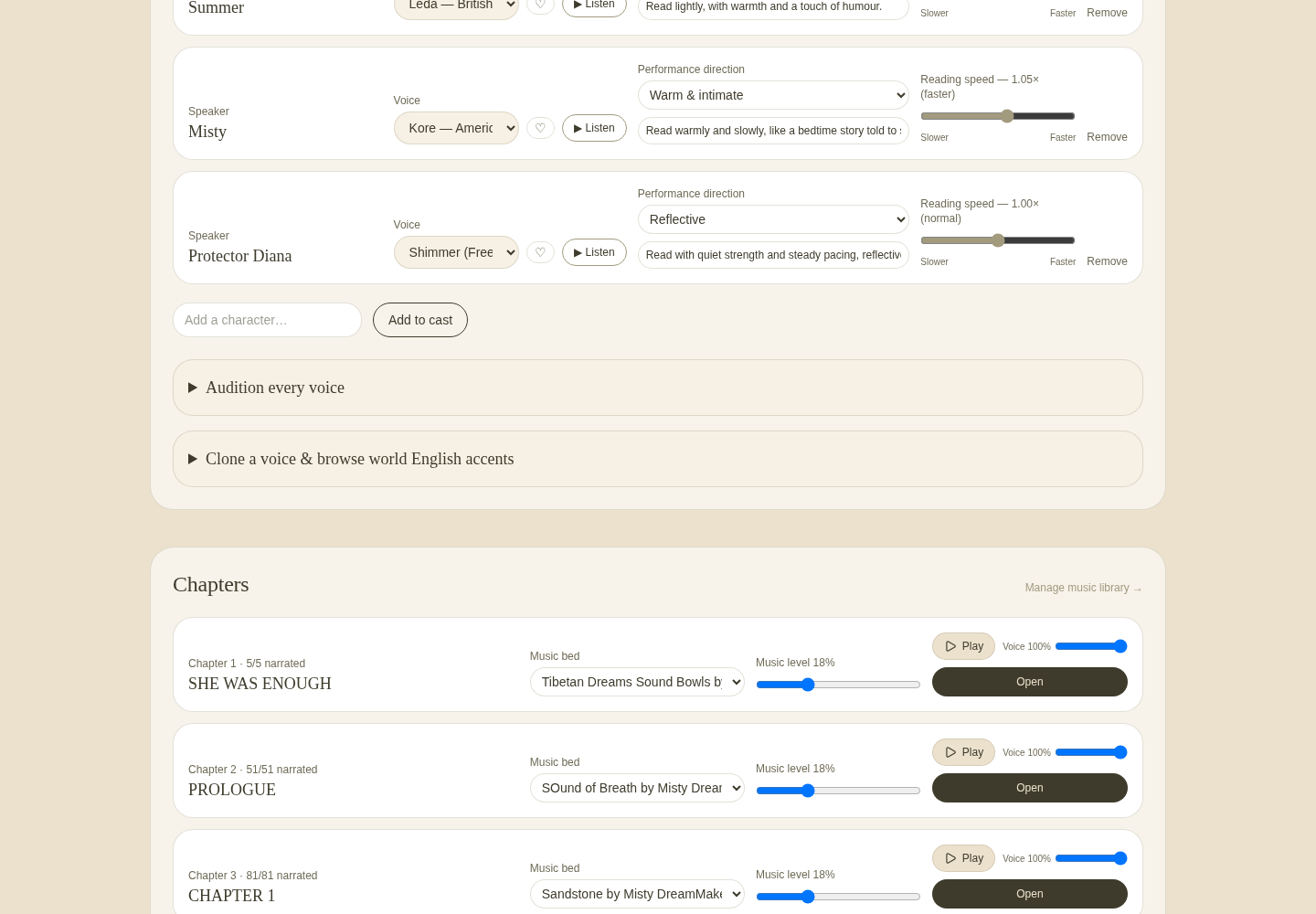
Voice controls. Every cast voice can receive individual performance settings: reading speed from 0.6× to 1.4× normal speed; warm, calm, or dramatic performance direction; and custom performance instructions. Voice assignments are saved within the project and remain available across chapters.
Detect and assign speakers
Inside each chapter, the author can select Auto Detect Speakers. The AI reviews the chapter passage by passage and attempts to determine which character is speaking. The system respects the cast the author has already configured — it uses existing cast names whenever the dialogue supports that assignment and introduces a new speaker only when a character does not already exist in the project cast.
Automatic detection accelerates the first casting pass, but the author remains in control. Any passage can still be reassigned manually.
Edit chapters and passages
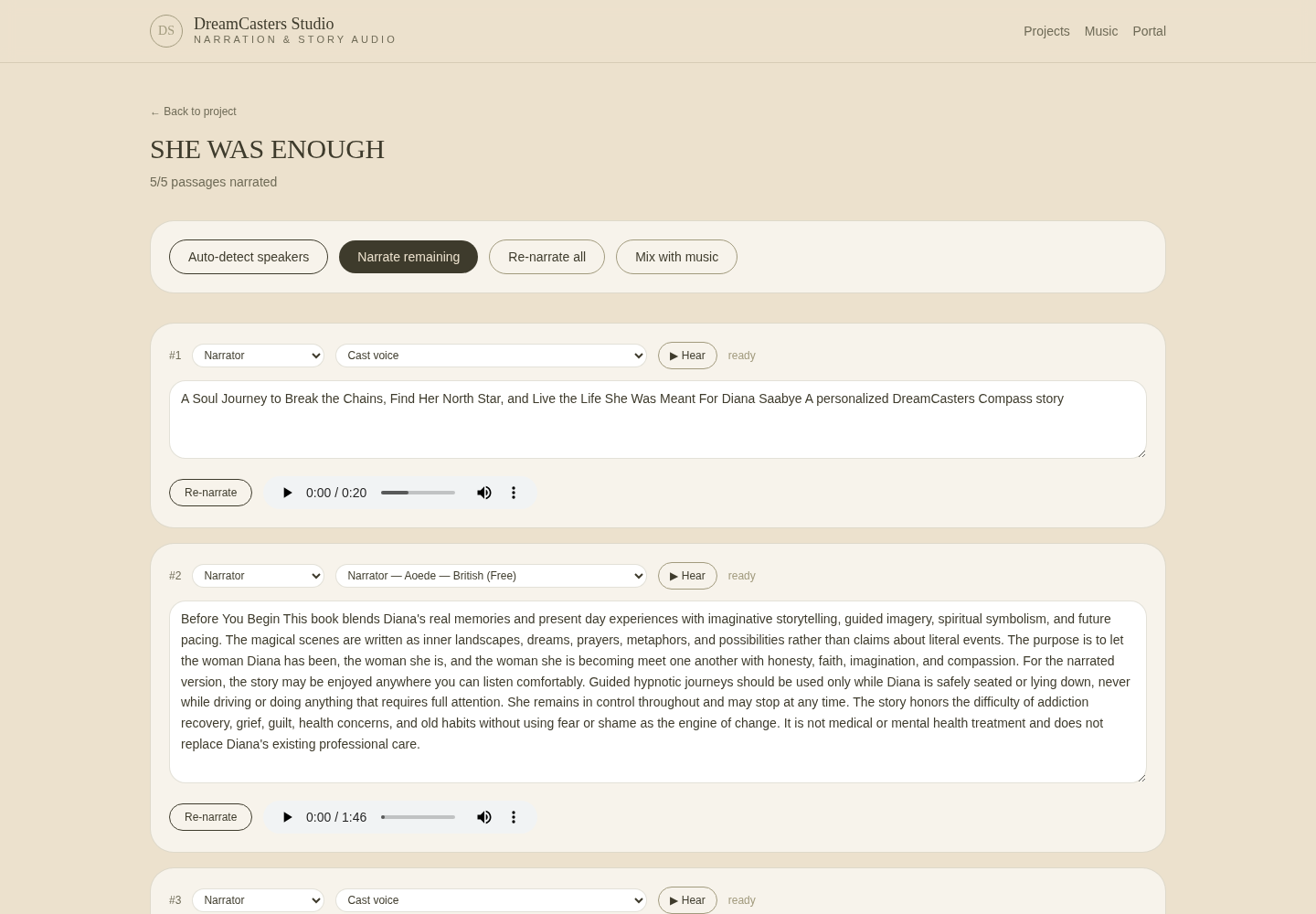
Every chapter contains an ordered list of passages. For every passage, the author can change the assigned speaker, select a voice from the project cast or the complete voice catalog, edit the manuscript text, preview the assigned voice, narrate the individual passage, narrate it again after a change, and review the current audio status.
Stale
Ready
Error
Individual corrections
If one paragraph requires a correction, the author can update and narrate only that passage. The application does not require the complete chapter to be regenerated because one line changed. This is especially valuable for pronunciation corrections, character assignment corrections, text revisions, pacing adjustments, performance changes, and isolated rendering errors.
Add music and create the chapter mix
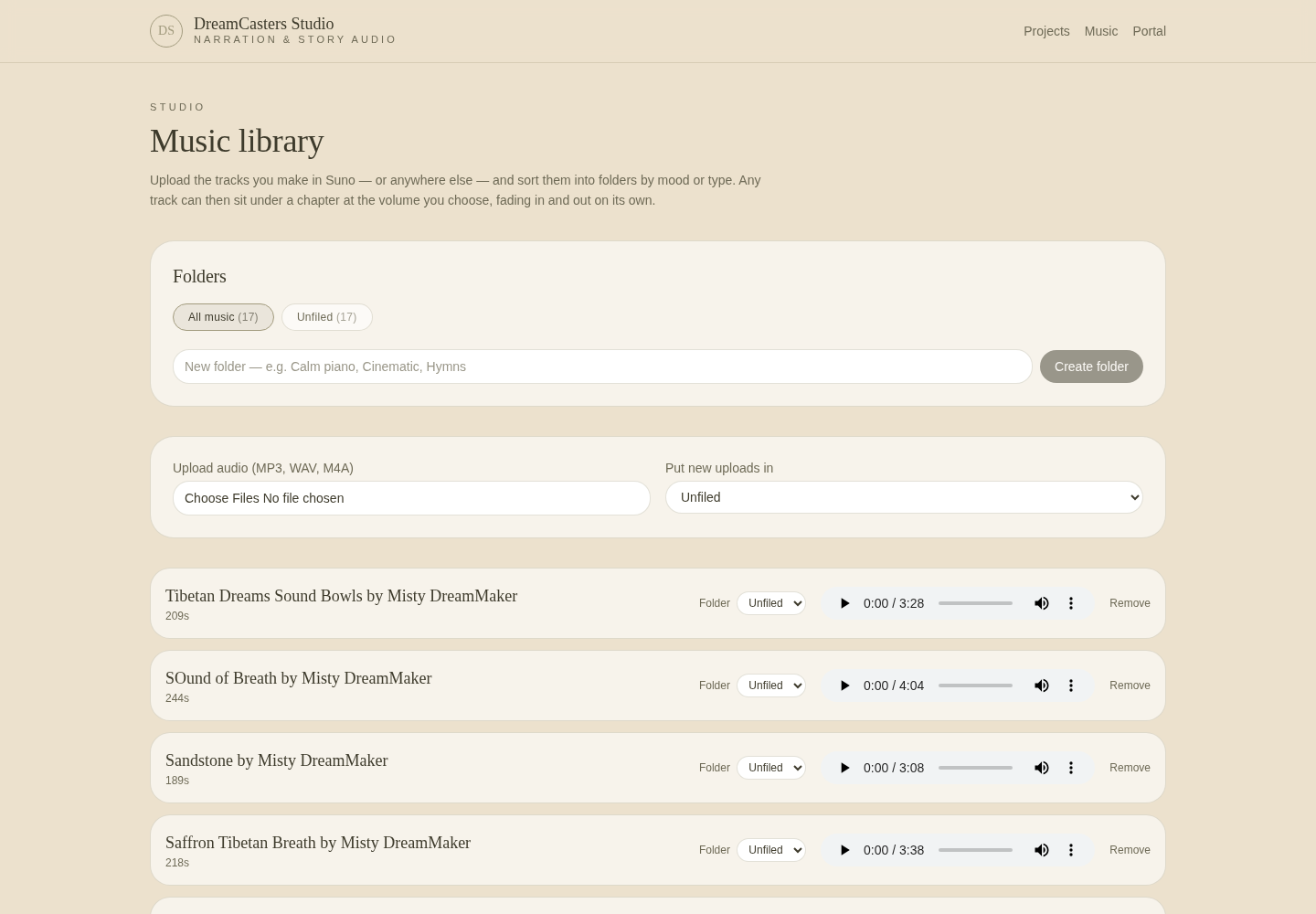
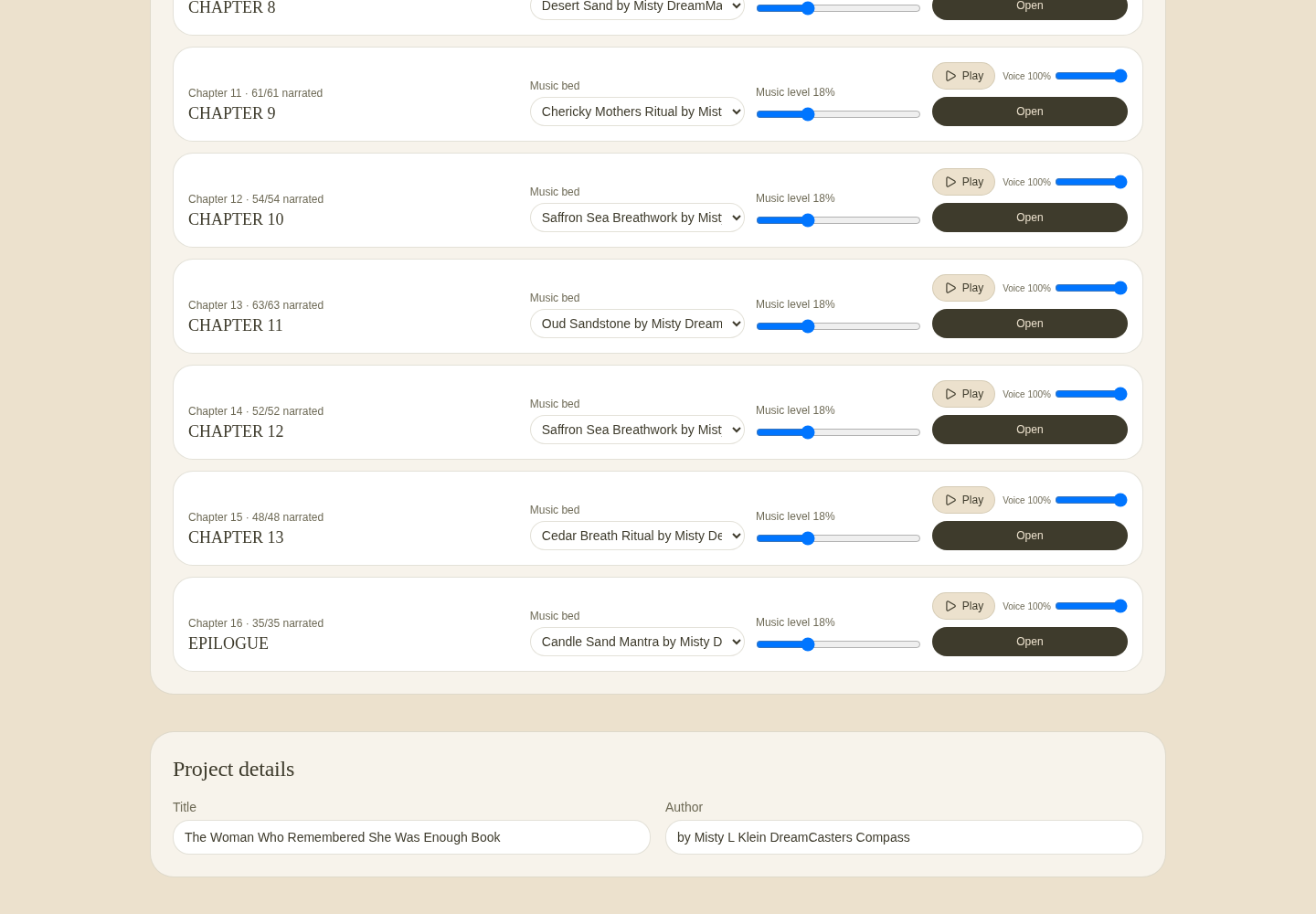
DreamCasters Studio includes a separate music library. Authors can upload MP3, WAV, and M4A files, organized into folders so projects with many songs, themes, ambient tracks, or chapter beds remain manageable. A music track can be assigned to a chapter, with control over music volume, fade in duration, fade out duration, track selection, and chapter assignment.
When the narration passages are ready, Mix With Music combines the rendered passage audio with the selected music bed into one continuous chapter WAV file. The completed chapter mixdown can be played inside the chapter workspace, saved to the project library, and downloaded as a WAV file — removing the need to export every passage and assemble the chapter manually in a separate editing application.
Render at any scale
Narrate one passage
Narrate remaining
Re-narrate all
Start narration
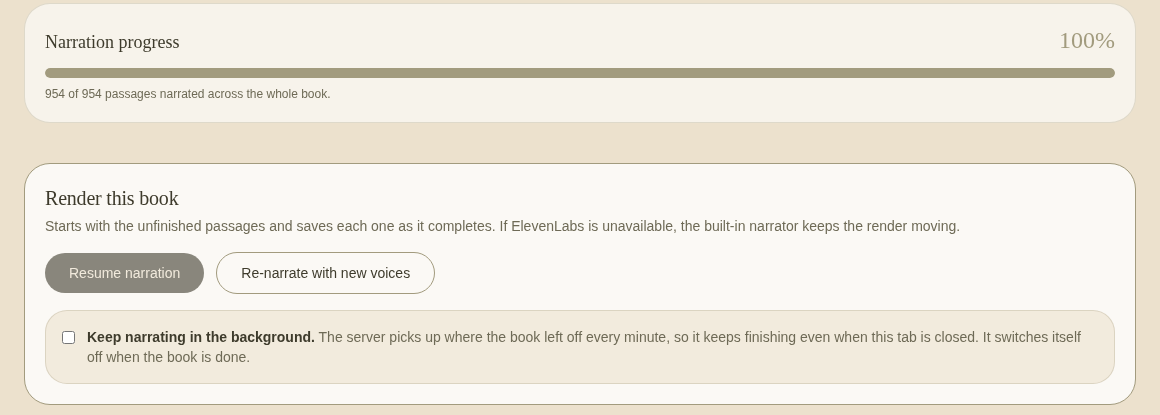
Resume narration
Background narration
Live progress and provider continuity
Live progress. A live progress display shows completed passages, remaining passages, overall percentage, estimated time remaining, current chapter progress, and rendering status.
Voice provider continuity. When an ElevenLabs voice is unavailable, the system can use an appropriate Gemini accent voice as a continuity option so narration can continue. Errors are retained at the passage level and can be reviewed and attempted again without discarding successfully completed work.
Publish the audiobook
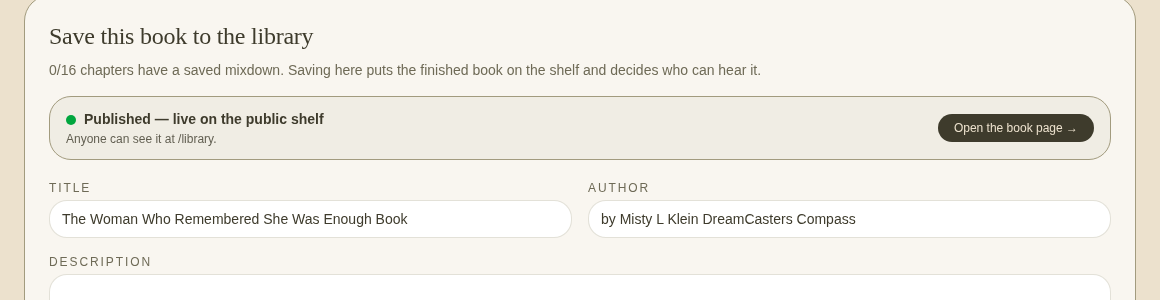
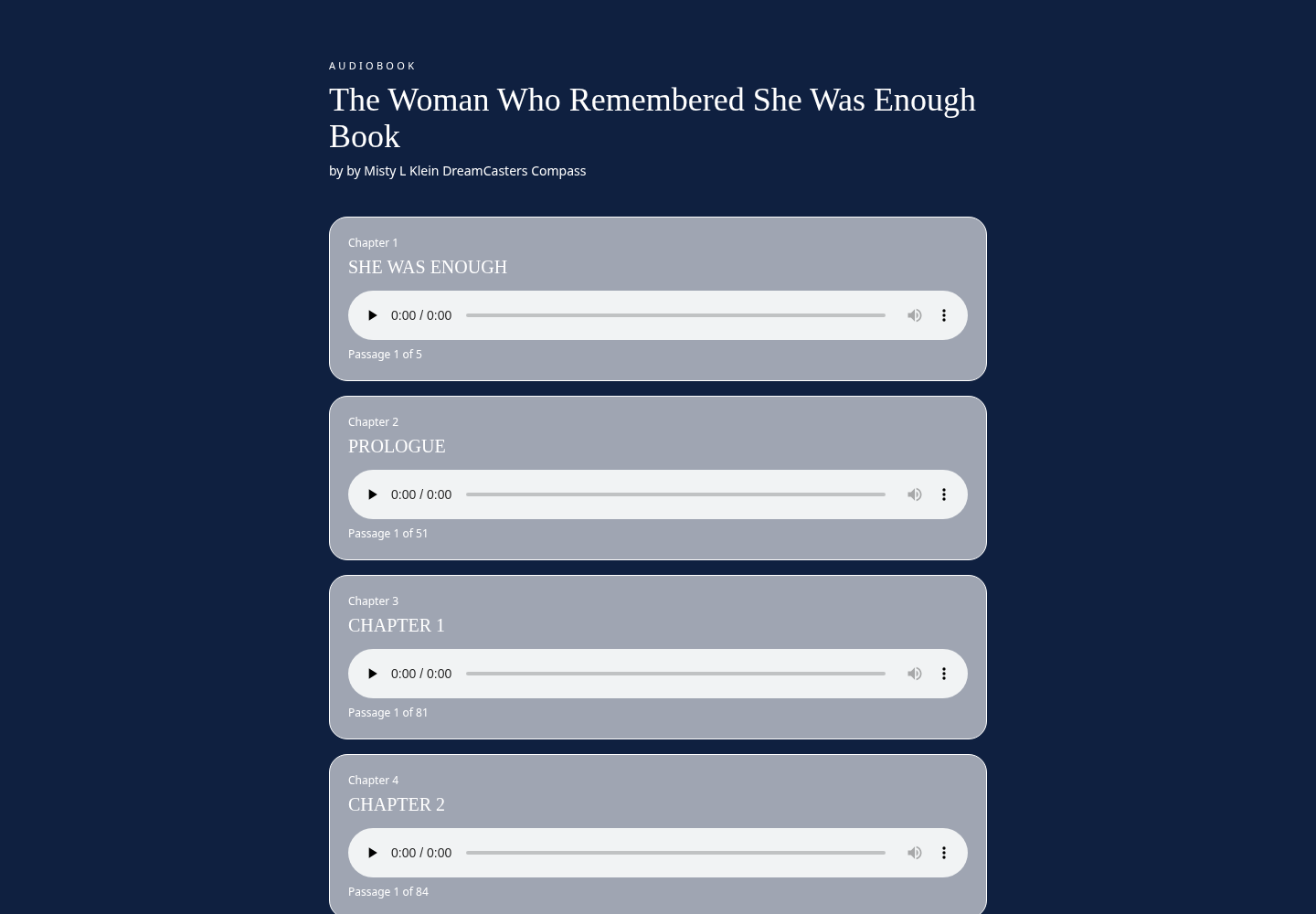
When the project is ready, the author selects Publish Book. The system creates a public listening page using the project identifier — no listener account or sign-in required. Listeners can view the book and chapter structure, play available chapters, move between chapters, and download completed WAV files. The author can remove public access at any time by selecting Unpublish, keeping control over when the audiobook is available and when it should be removed.
Deliver to the Listening Library
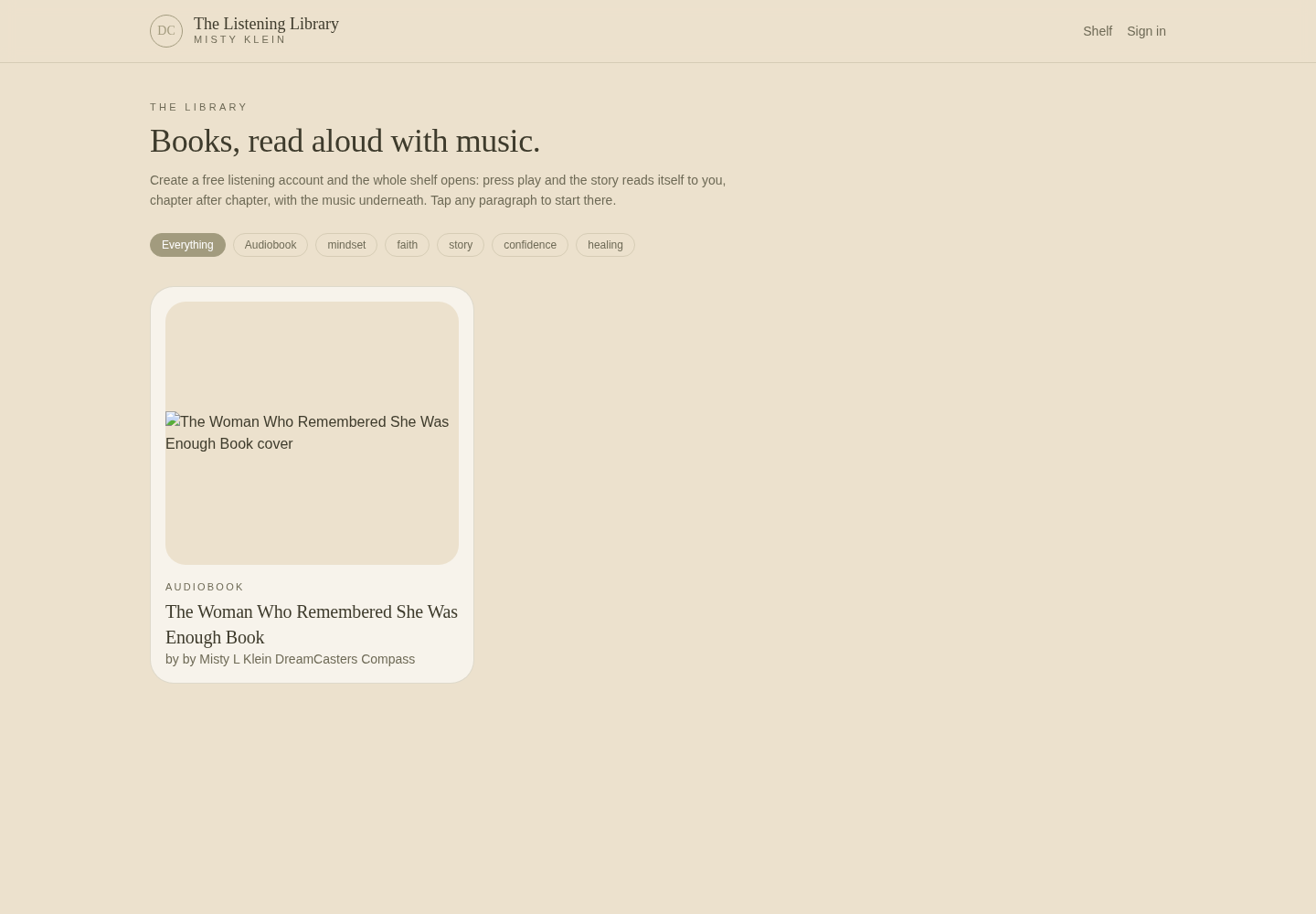
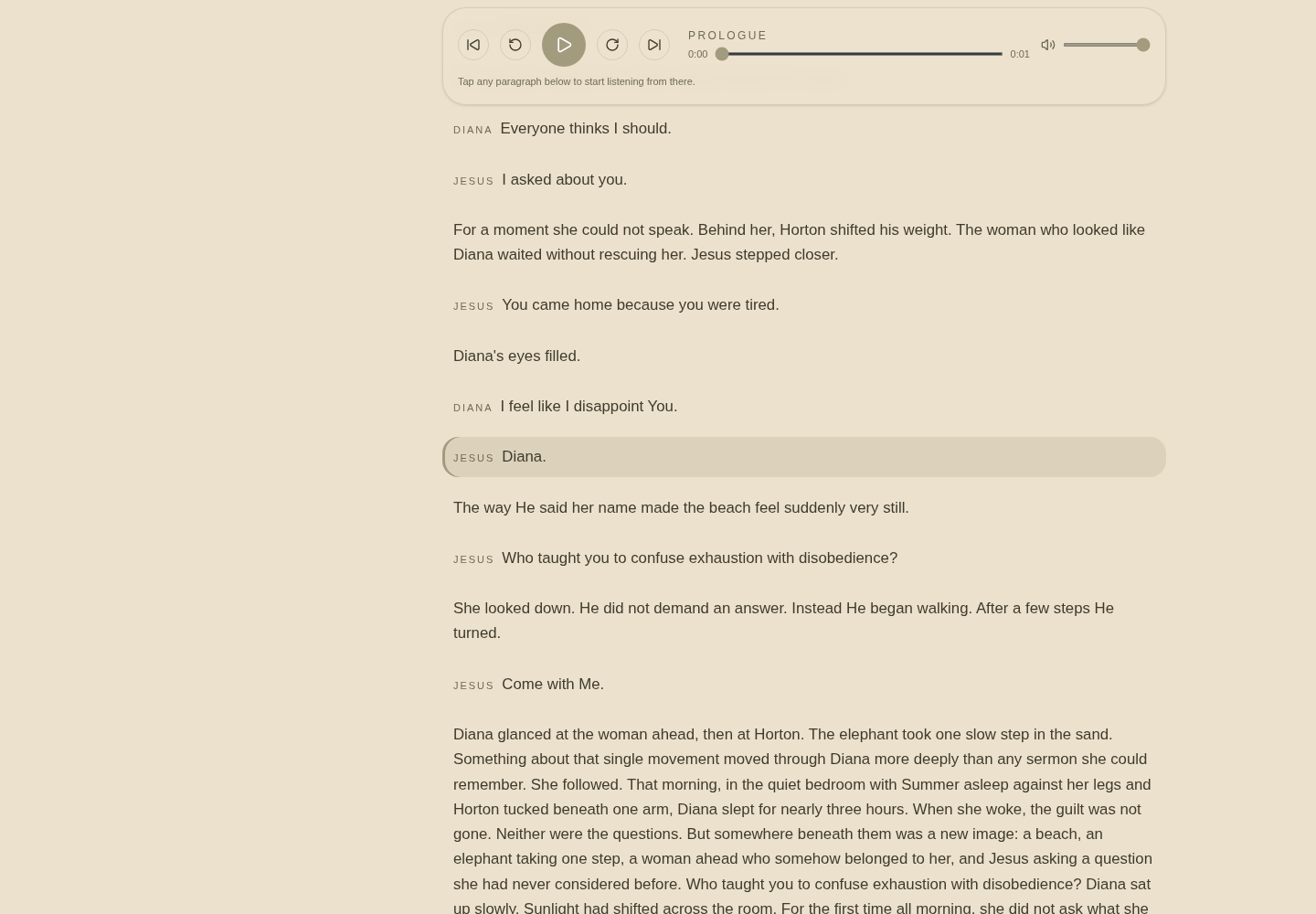
Published audio can also feed the DreamCasters Listening Library for registered members. Studio access requires a free DreamCasters Compass account. This separates the production environment from the listening experience: the author works inside DreamCasters Studio, public listeners use the published audiobook page, and registered members can access eligible work through the DreamCasters Listening Library.
Application screenshots
The working application
Captured from the live DreamCasters Studio workspace. Captions describe what is functioning in each view.
Human control and responsible voice use
AI assists. The author directs.
The system does not remove the author from the creative process. It gives the author a structured environment for directing the production.
Human control
AI supports manuscript parsing, speaker detection, voice production, and workflow acceleration. The author remains responsible for:
- Approving the manuscript structure.
- Confirming character identities.
- Selecting voices.
- Reviewing speaker assignments.
- Editing the text.
- Directing performance.
- Approving narration.
- Selecting licensed or authorized music.
- Approving the final mix.
- Publishing the audiobook.
Responsible voice use
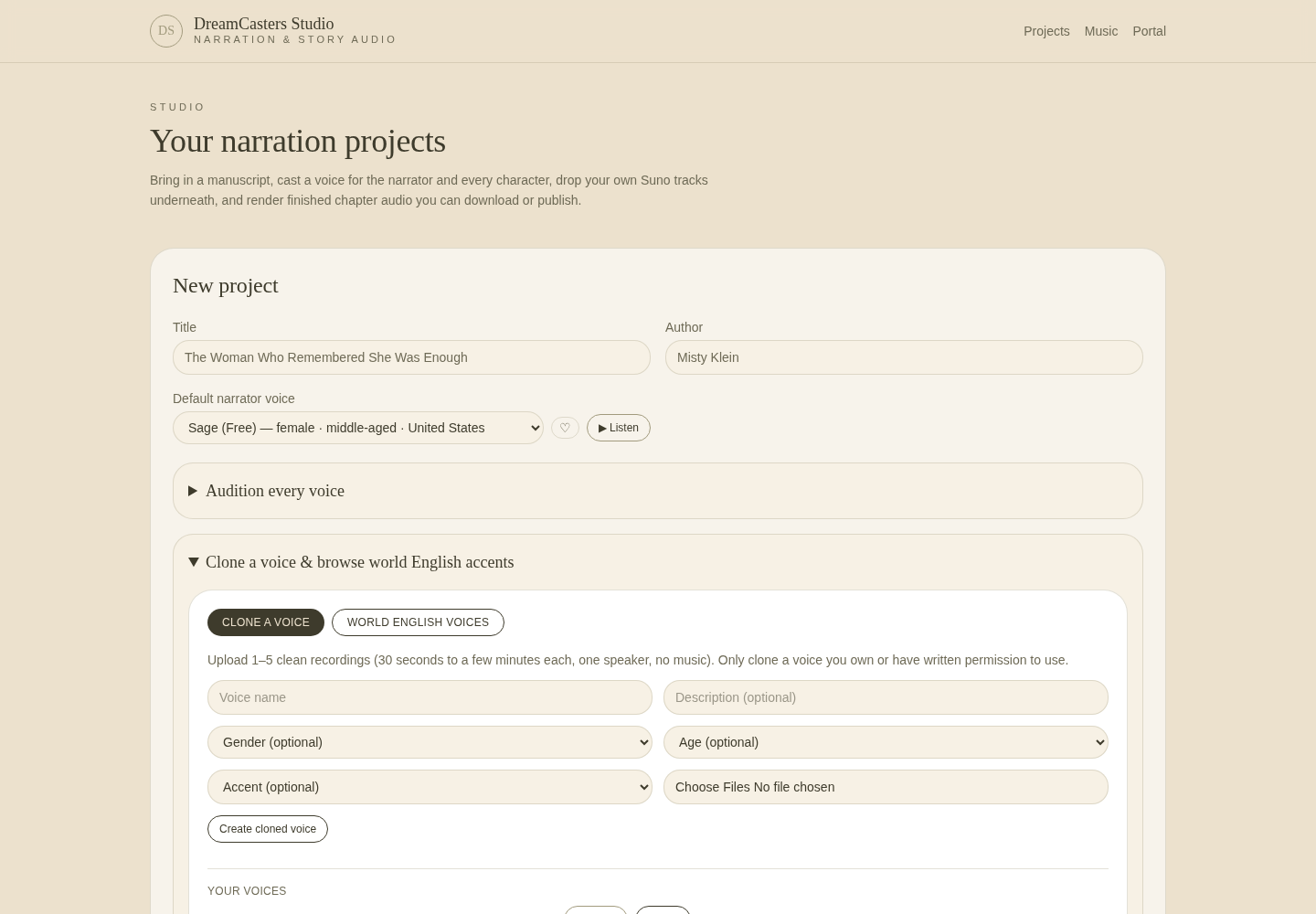
Voice cloning requires careful authorization and consent. DreamCasters Studio is intended for voices that the user owns, has created, or has permission to use.
- Users are responsible for obtaining permission to clone or use a voice.
- Shared voice libraries remain subject to their provider terms.
- Custom clones should not impersonate another person without authorization.
- Published audio remains subject to content, voice, music, and intellectual property rights.
My role
What Misty Klein contributed
Misty conceived and directed DreamCasters Studio as a connected solution to a production problem she encountered while creating personalized story experiences.
- Product concept development
- Workflow architecture
- User experience direction
- Manuscript production requirements
- Multi voice casting logic
- Character and narrator workflow design
- Speaker detection requirements
- Chapter and passage editing requirements
- Voice performance controls
- Music library and mixdown requirements
- Rendering workflow design
- Background production requirements
- Error recovery requirements
- Publishing experience design
- Listening Library integration direction
- Human review and responsible voice use requirements
- Testing and refinement of the creative workflow
The application grew from a practical need. Misty was creating long form stories containing narration, dialogue, guided reflection, music, and multiple characters. Producing those elements through disconnected tools created unnecessary repetition and made large projects difficult to manage. DreamCasters Studio turns that fragmented process into one coherent workspace.
Capability evidence
What this project demonstrates
The larger vision
Beyond one book
DreamCasters Studio began with personalized story production, but the underlying architecture has broader applications. These are possible applications — not completed customer deployments.
The application is not limited to producing one type of book. It provides a reusable production environment for any project in which written material needs to become a structured, multi voice audio experience.
Portfolio summary
DreamCasters Studio is a working multi voice narration and story audio production application. It allows an author to upload a complete manuscript, separate it into chapters and passages, cast narrators and characters, detect speakers, edit individual passages, control voice performance, add music, render production audio, correct isolated sections, publish an audiobook, and deliver the finished work to listeners.
The project demonstrates how Misty combines storytelling, curriculum thinking, experience design, AI orchestration, multimedia production, and human review to turn a complicated creative process into a system people can use.
Request a live DreamCasters Studio demonstration.
See how a manuscript moves from import through casting, narration, music, chapter mixdown, and audiobook publishing inside one connected workspace.
Studio requires a free account. Recruiters and prospective collaborators may request a guided demonstration without creating an account.